Russian (Русский)
Front Page Mobile Application (Android or iPhone)
Built-in Mobile Keyboard
To enable Russian language on mobile devices:
For Android:
● Open the keyboard settings.
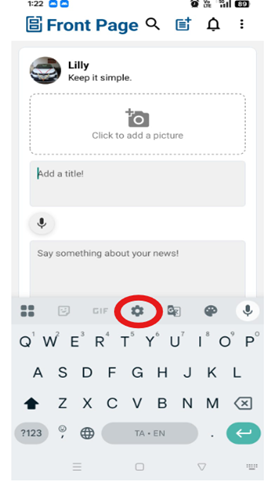
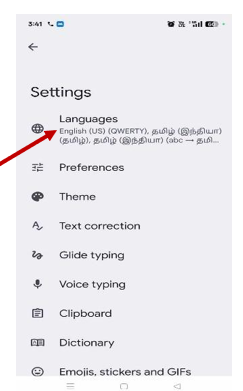
● Tap on Languages to view the list of currently selected languages.
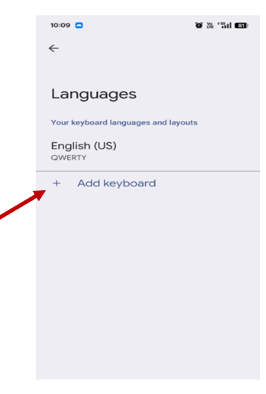
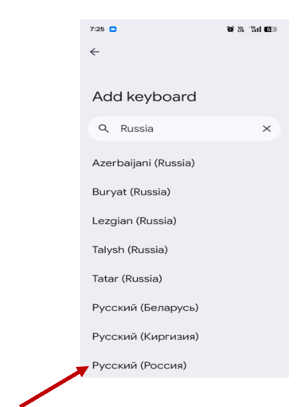
● Tap +Add Keyboard and select Russian from the list.
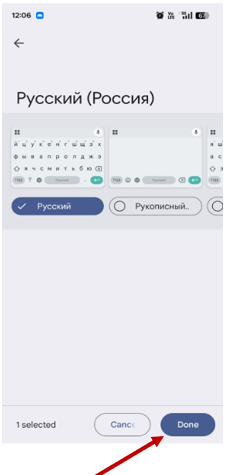
● Choose your preferred keyboard layout from the available options, then click Done.
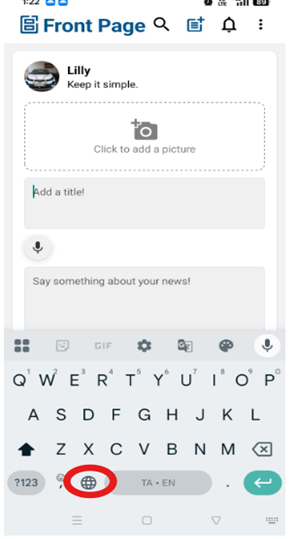
● Once added, use the globe icon on the keyboard to switch between languages, including Russian.
For iPhone:
● Settings -> General -> keyboard -> Keyboards
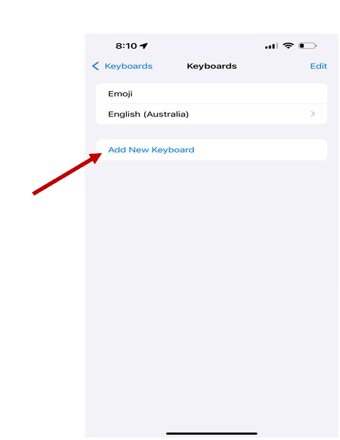
● Select "Add New Keyboard" and choose Russian from the list.
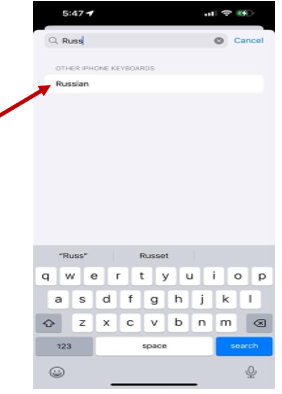
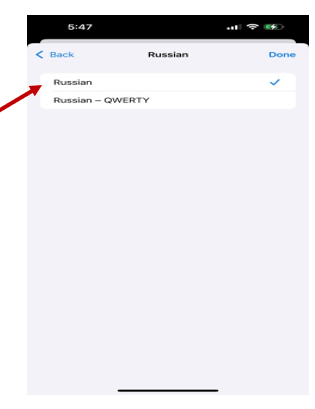
● Choose your preferred layout, then click Done.
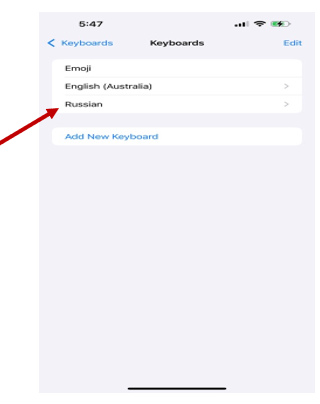
● The Russian keyboard will be added to your current keyboard settings.
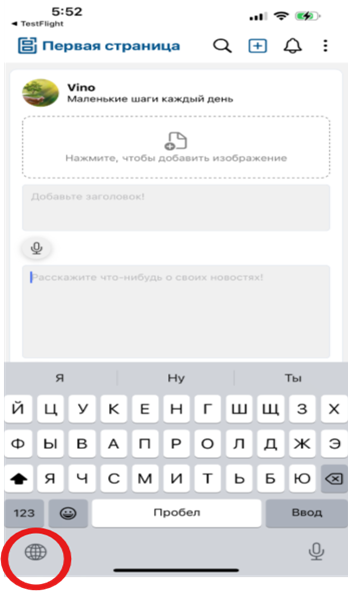
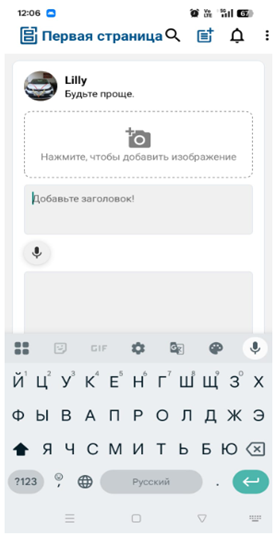
● On the Front Page, the built-in keyboard will appear as shown in the image below. The keyboard language can be toggled between English and Russian by pressing the globe icon. (Please note that the Russian keyboard layout may differ for you, depending on the layout you have selected.)