
How Unfollow and Remove Work
This page explains how Unfollow and Remove work on Front Page and how these actions affect the connection between two users.
Users can manage their community connections infrom twoother ways:users’ profile pages.
Mutual Community Connection:
Unfollow– Stop seeing another user’s posts in your feed.Remove– Remove someone from your followers list or leave a community connection.
Before Any Action
Before any action is taken:
- User A follows User B
✅ - User B follows User A
✅
Both users are mutualpart followers and can seeof each other’s posts depending on their account privacy settings.
Scenario 1 – Viewing a User Profile
Users can open another user's profile to view their posts and access connection options.
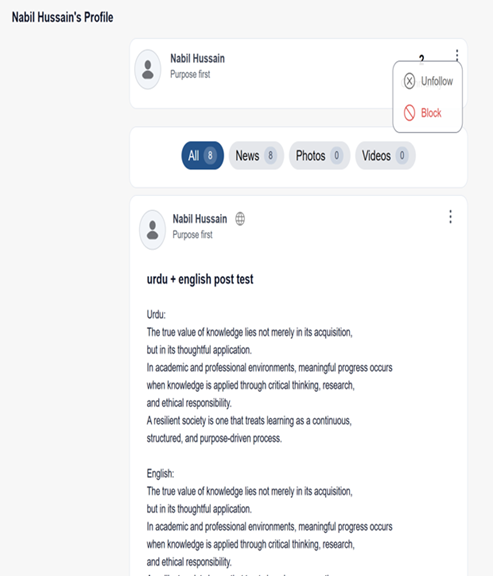
communities.Figure 1: User Profile Page
This figure shows a user's profile page where posts, photos, and other content are displayed. From this page, users can interact with the profile and access additional options such as follow settings.
Scenario 2 – Unfollow a User
Unfollow allows a user to stop following another user’s community.
Example:
User A follows User B.
If User A choosesClicks Unfollow on User B’s profile:
Result:
- User A will no longer follow User B.
- User A will stop seeing User B’s posts in:
- Home/Vista feed
- Community feed
- Recent Posts
- Loss access to
unfollowCreating posts in User B’s community
- User A can still view User B’s Public posts from User B’s profile page.
- User B
,will still follow User A if theycanpreviouslydojoinedsoUser A’s community. - User B is removed from
theUserprofileA’smenu.Joined Community list. - User A is removed from User B’s My Community list.
- No notification is sent to User B.
Steps:
Go toOpen the other user’s profilepagepage.- Click or tap the 3-dot ellipses menu.
- Click
theorthree-dot menu (⋮). Selecttap Unfollow.
Figure 2: Unfollow Option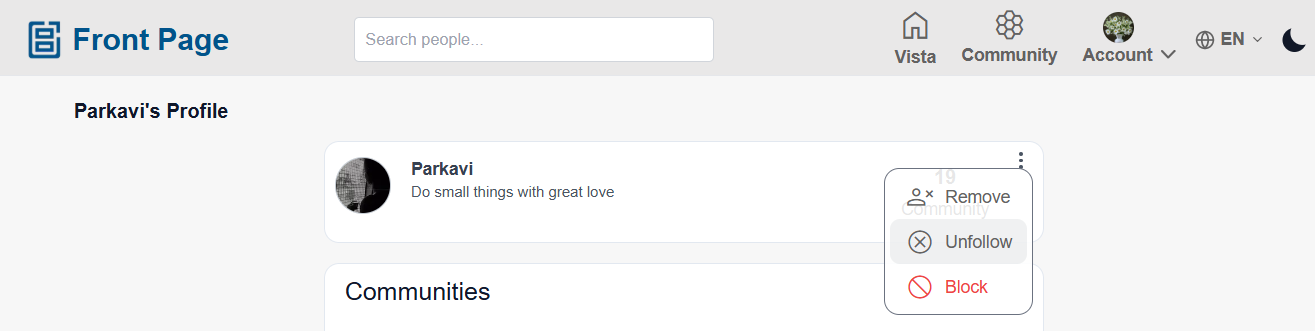
This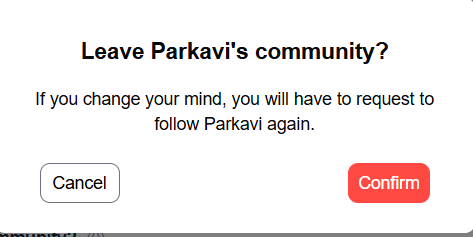
Remove showsa theUser
Remove option whereallows a user canto selectremove Unfollowanother user from thetheir profileown settings to stop following another user.community.
Result
A → B:❌ (A no longerB followsB)User - A.
If User A Clicks
B → A:Remove✅on(BUserstillB’sfollows A)
What HappensResult:
- User B
doesisnotremovedreceivefromaUsernotificationA’sthatcommunity. - User B loses access to:
- User A’s community posts
- Community feed
- Creating posts in User A’s community
- User B can still view User A’s Public posts from User A’s profile page.
- User A
unfollowed.may - still follow User B if User A
willalreadynojoinedlonger seeUser B’sposts or storiesin their feed.community. - User A is removed from User B’s Joined Community list.
- User B
mayisstillremovedseefrom User A’spostsMyifCommunityA’slist. - No notification is
publicsentortoifUserB was already an approved follower.B.
This becomes a one-sided followSteps:.
Scenario 3 – Leaving a Community / Removing a Connection
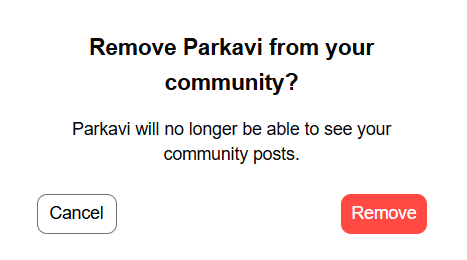
If a user decides to leave a community or remove a connection, a confirmation message will appear.
Steps:
SelectOpen theLeaveuser’sCommunityprofileorRemoveoption.A confirmation dialog appears.page.- Click or tap the
Confirm3-dot ellipses menu. - Click
proceed.or tap Remove.
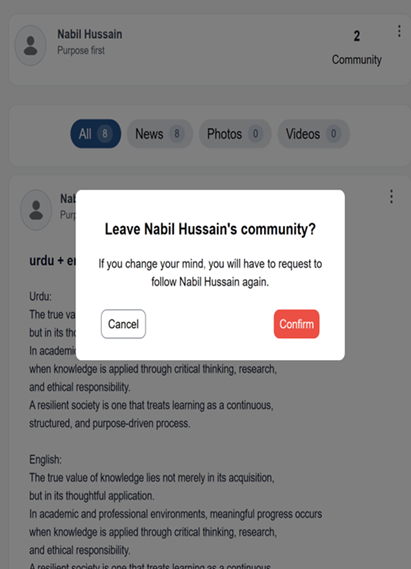
Figure 3: Leave Community Confirmation
This figure shows the confirmation dialog that appears when a user chooses to leave a community. The user must confirm the action before the connection is removed.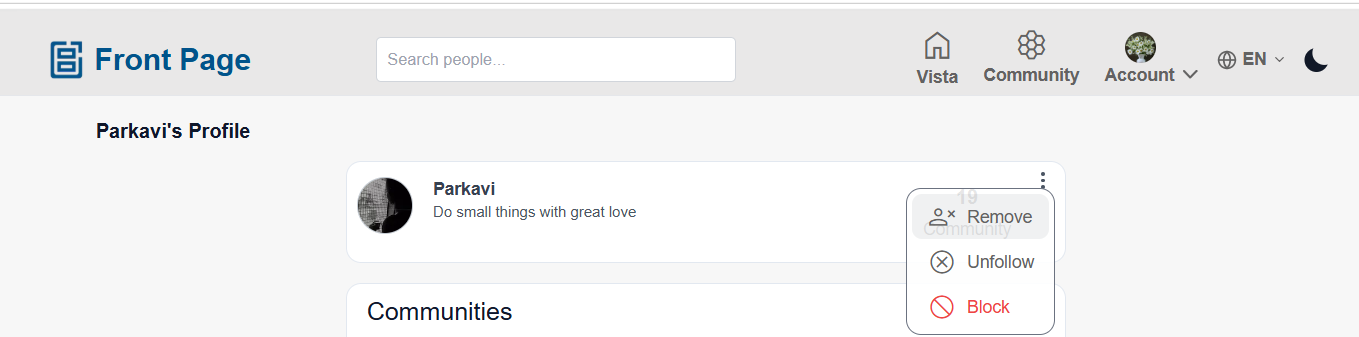
Result
The connection between the users is removed.
What Happens
The action happenswithout sending a notificationto the other user.Access to content will depend on theprivacy settingsof the account.