
Managing Listings
This section describes how users can create, edit, and manage their own listings on the platform.
Users can easily post advertisements and manage them through their account.
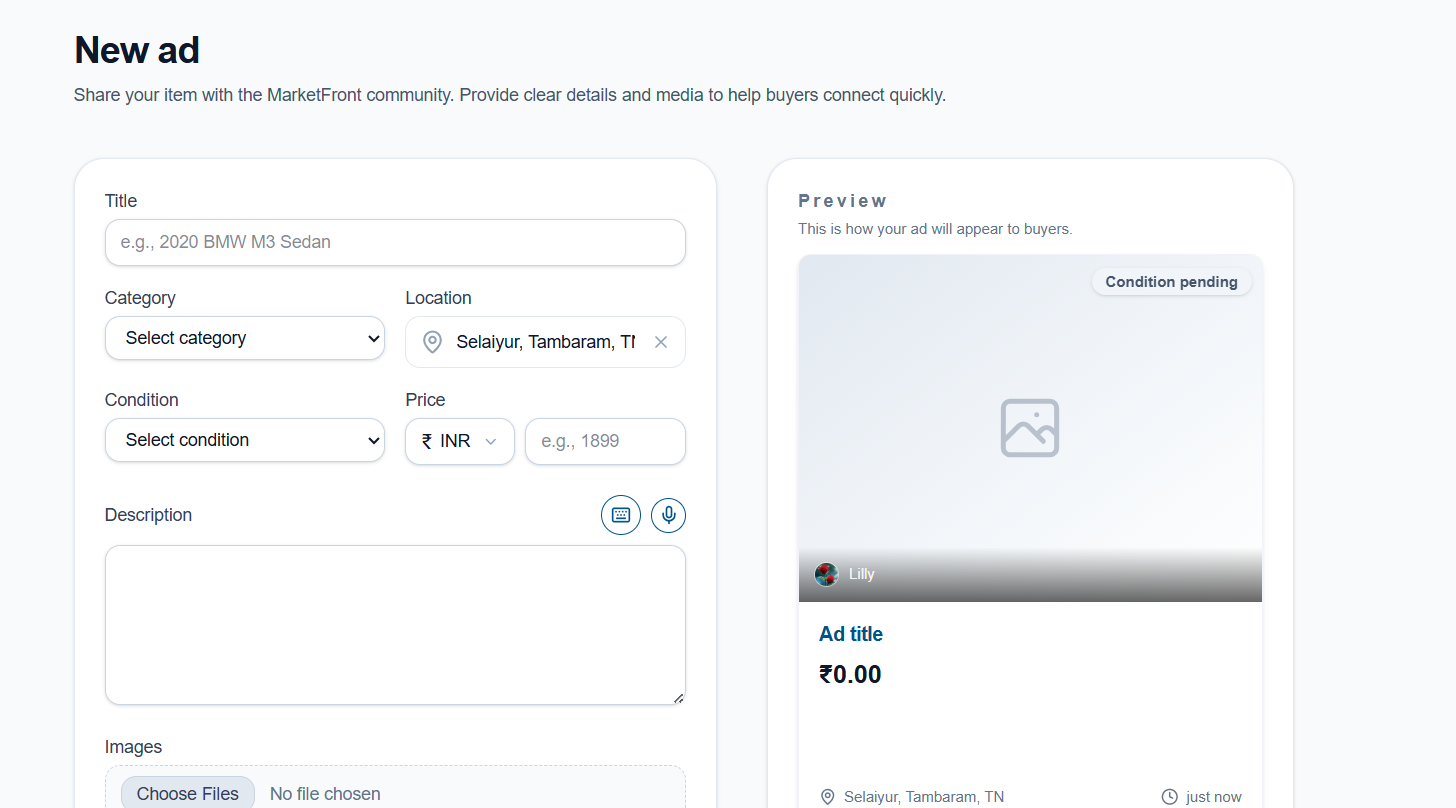
Creating a Listing
-
Tap on the “+” icon to create a new advertisement.
-
Select the appropriate category for the product or service.
-
Enter the required details such as title, description, price, condition (e.g., New, Like New), and location.
-
Upload images or videos for better visibility.
-
Click the Post Ad button to publish the listing.
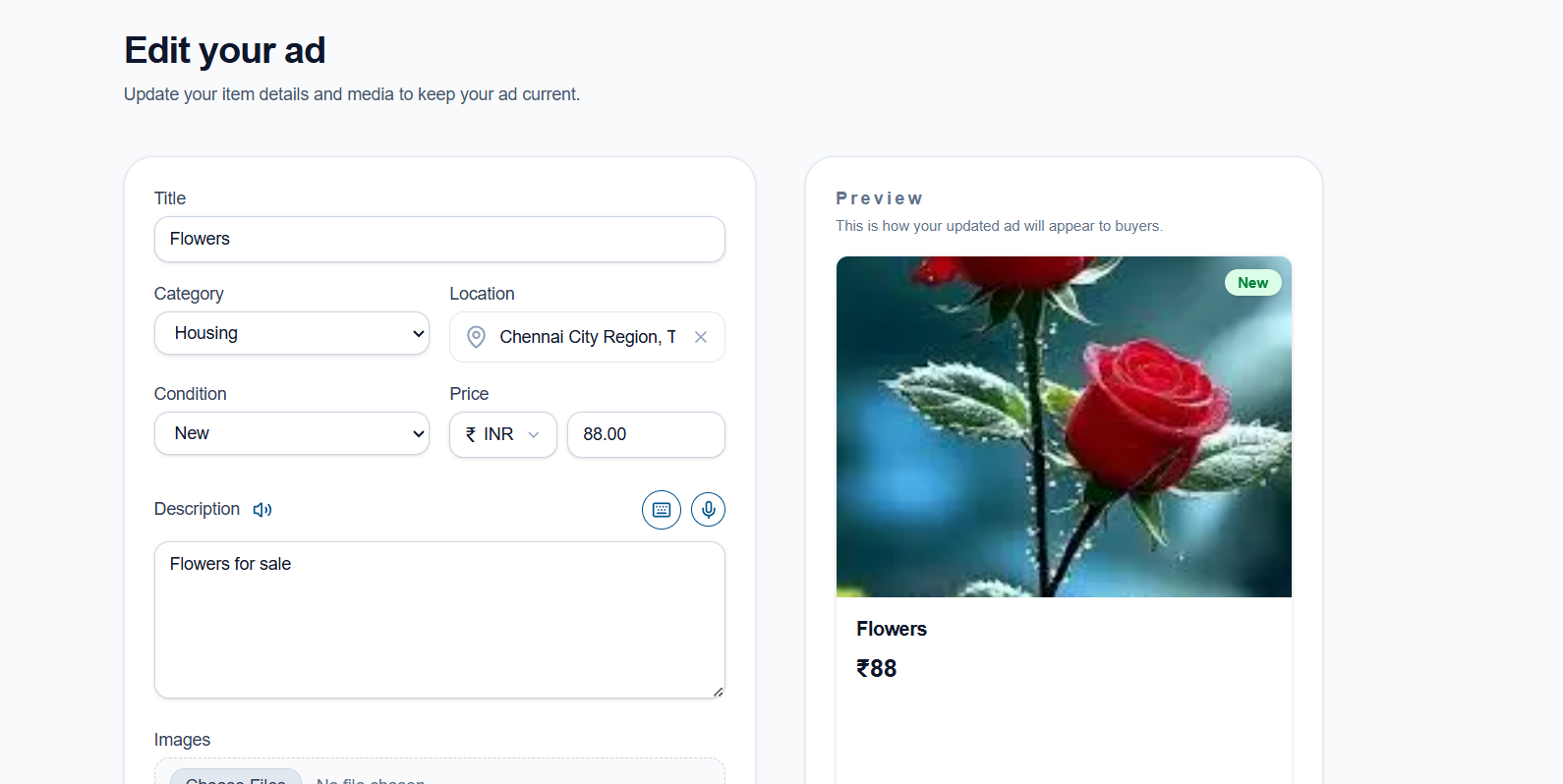
Editing a Listing
-
Click on the ad posted by you.
-
The detailed page will display the ad information along with Edit and Delete options.
-
Click on the Edit option to update your details such as price, description, or images.
-
Save the changes to update the listing.
Managing Listings
Users can manage their posted advertisements with the following options:
-
View Listings: See all ads posted by the user.
-
Edit Listings: Modify existing advertisements.
-
Delete Listings: Remove ads that are no longer needed.
The listing management feature allows users to maintain accurate and up-to-date advertisements, ensuring a better experience for both buyers and sellers.
No comments to display
No comments to display