
User Profile
This section describes the features available in the user profile and how users can manage their personal information and preferences.
The Profile section allows users to view and update their account details, ensuring a personalized and secure experience within the application.
Profile Information
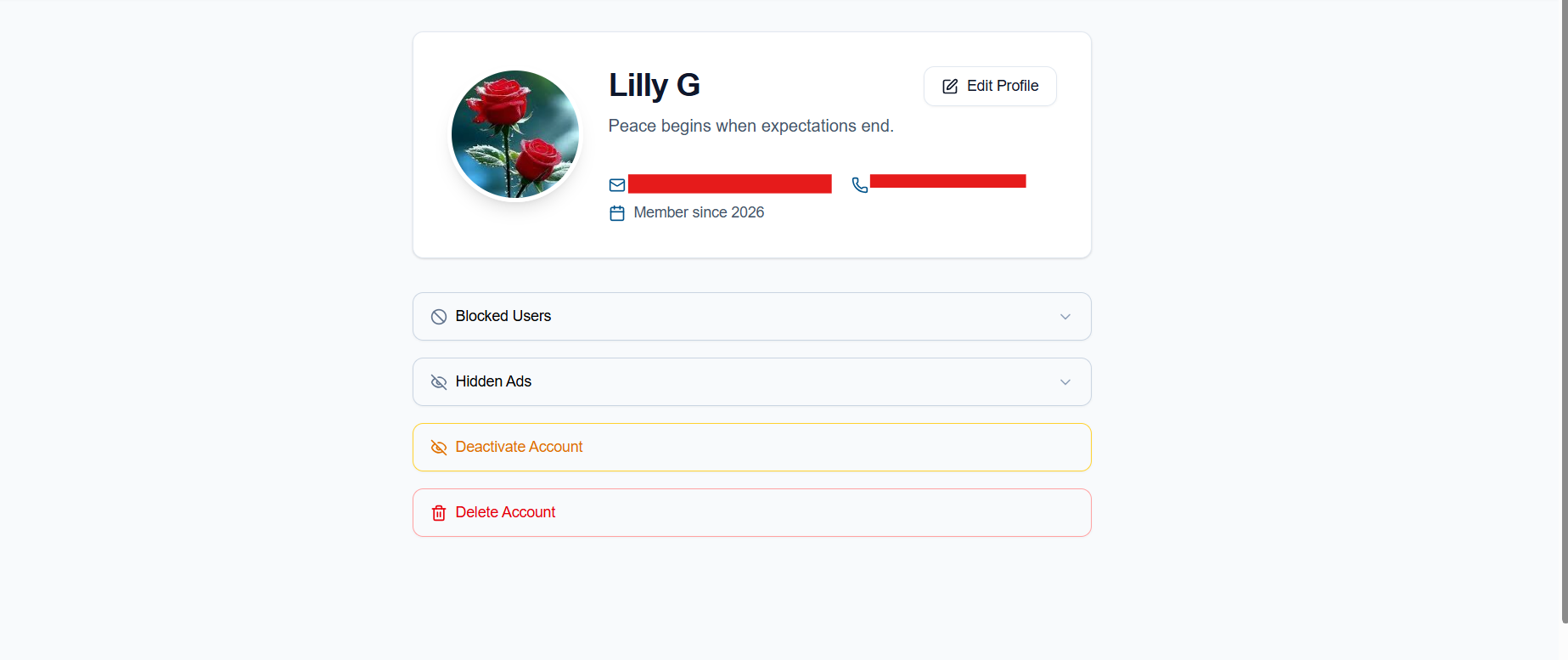
Users can manage the following details in their profile:
-
Profile Picture: Upload profile image.
-
Display Name: Set a name that will be visible to other users.
-
First Name and Last Name: Enter personal identification details.
-
Phone Number: Add or update contact information.
-
Caption: Add a short description or personal note to your profile.
- Edit Profile: Users can update their profile information at any time.
Additional Features
-
Blocked Users:
Users can block other users on the platform. The list of blocked users is available on the profile page, where users can also unblock them at any time.
-
Hidden Ads:
Users can hide advertisements they do not want to see. Hidden ads can be viewed and restored from the profile page. -
Delete Account:
Users can permanently delete their account. Once the account is deleted, the action cannot be undone, and the user will not be able to sign in again with the same account. - Deactivate Account:
Users can temporarily deactivate their account. After deactivation, the user will be signed out, but all account data will be saved. Users can reactivate their account at any time by signing in again with the same email address.
The profile section provides users with full control over their personal information.
No comments to display
No comments to display