
Managing Communities
Finding Communities
Users can search for communities using the search feature.
Steps:
1. Click or tap the Search bar.
2. Enter the name of a community or user.
3. Select the community or user from the results.
4. Open the Community section to view available communities.

Joining a Community
Users can join a community to view and interact with its content.
Steps:
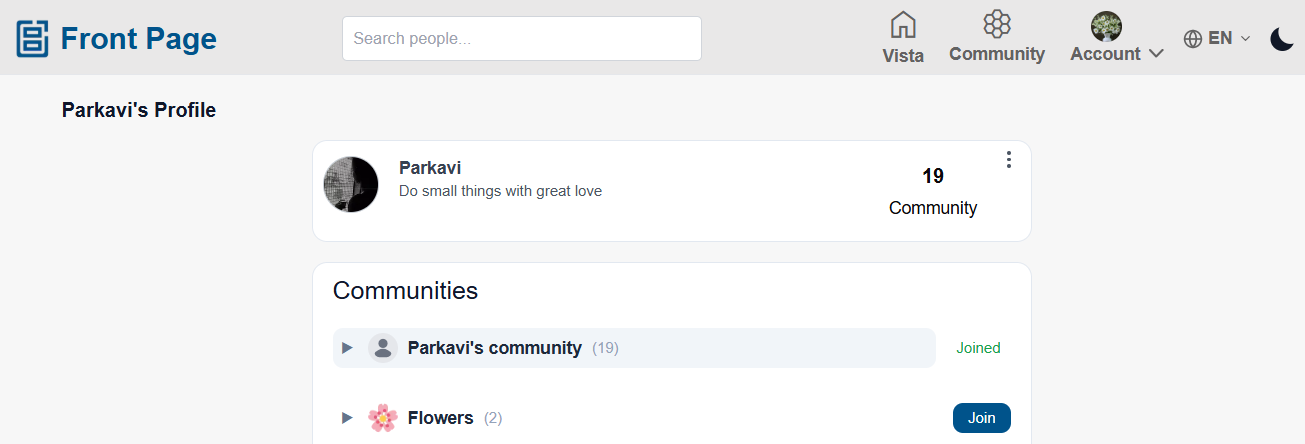
- Open the user profile or community page.
- Click or tap the “Community” button.
- View the available community list.
- Click or tap the “Join” button for the required community.
- Once the community owner accepts the request:
- The user becomes a member of the community
- Community posts appear in the user’s feed
- The user can create posts for that community
Leaving a Community
Users can leave a community at any time.
Steps:
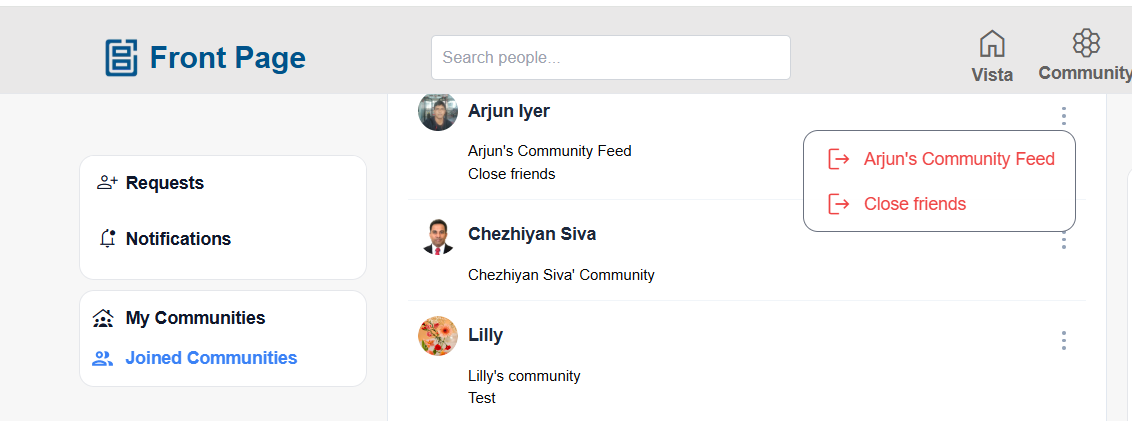
From Joined Community
- Open the “Joined Community” page.
- Locate the community in the list.
- Click the 3-dot ellipses menu for the community.
- Click “Leave Community”.
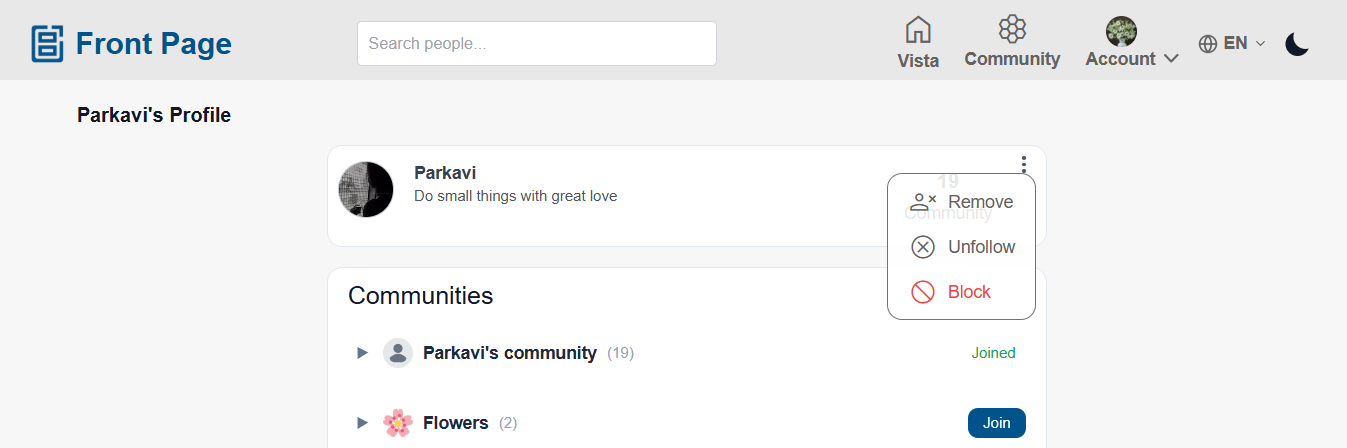
From User Profile
-
- Open the user profile page.
- Click the 3-dot ellipses menu.
- Click “Unfollow”.
After Leaving a Community
1. The user loses access to:
Community posts
Creating posts for that community
Community feed visibility
2. The user can only view public posts from that user.
Remove a User from My Community
Users can remove members from their communities at any time.
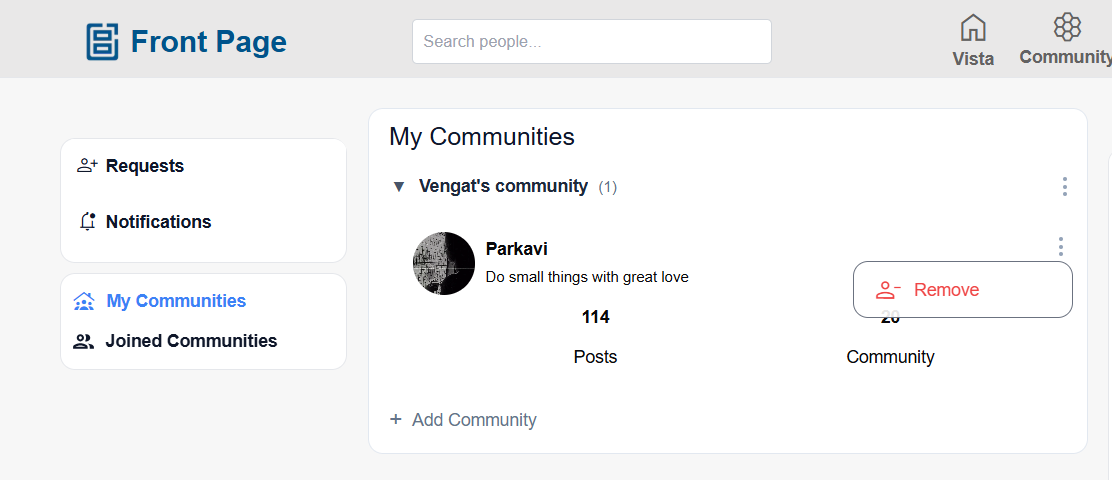
From My Community
- Open the “My Community” page.
- Locate the user in the community list.
- Click the 3-dot ellipses menu.
- Click “Remove”.
From User Profile
- Open the user profile page.
- Click the 3-dot ellipses menu.
- Click “Remove”.
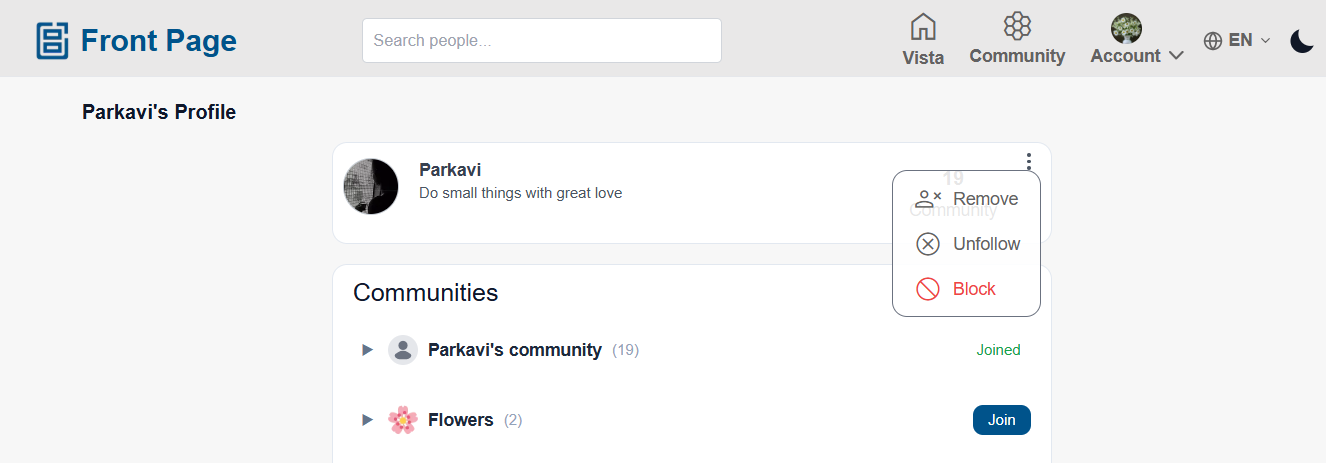
After Removing a User
1. The removed user loses access to:
Community posts
Creating posts for that community
Community feed visibility
2. The user can only view public posts.
Creating a community
Users can create additional communities for different purposes such as: Friends, Family, Office Work, Sports, Events, Etc...
These communities are displayed in the user’s “My Community” section.
Other users visiting the profile can:
- View available communities
- Send join requests for specific communities
Steps:
- Open the “My Community” page.
- Click or tap “Create Community”.
- Enter the community's name.
- Upload a community icon/image if needed.
- Save the community.
- The newly created community will appear in the community list.
Community Membership:
- Other users can open the profile and view available communities.
- Users can send join requests for specific communities.
- Once the community admin/author accepts the request:
- The user becomes a community member
- Community posts become visible in their feeds
- The user can create posts within that community
- All community members can:
- View community posts
- React to posts
- Comment on posts
- Share posts
- Create posts within the community
Managing Community Details
Community admins/authors can manage their communities at any time.
Users can:
- Change the community name
- Upload or update the community icon/image
- Delete the community
- Remove users from the community
Community Updates:
Any updates made to the community:
- Are reflected for all community members
- Appear updated across feeds and community pages
Editing and Deleting a Community
- Open the “My Community” page.
- Select the required community.
- Click the 3-dot ellipses menu.
- Click:
- “Edit Community” to edit the community, or
- “Delete Community” to remove the community.
Edit Community
- Change the community's name or update the community icon/image.
- Click “Save”.
- Once updated:
- The changes are reflected across all pages of the application
- All community members will see the updated community details
Delete Community
- Click “Delete Community”.
- Confirm the deletion.
- Once deleted:
- The community is permanently removed
- All members lose access to the community
- Community posts will no longer appear in feeds or community pages
No comments to display
No comments to display