
Profile
Accessing Your Profile
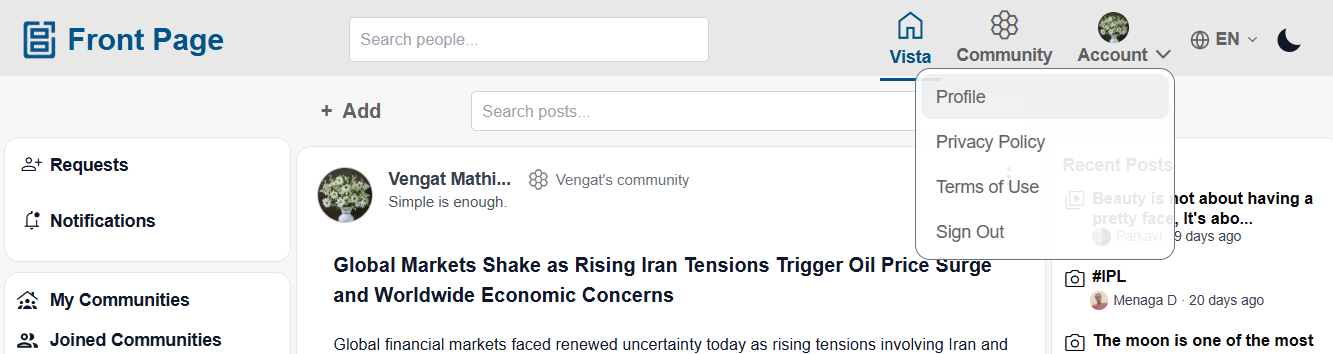
Users can access their profile from the navigation menu.
Steps:
-
Click or tap the Account/Profile icon.
-
Select Profile.
-
The profile page will open.
Viewing Profile Information
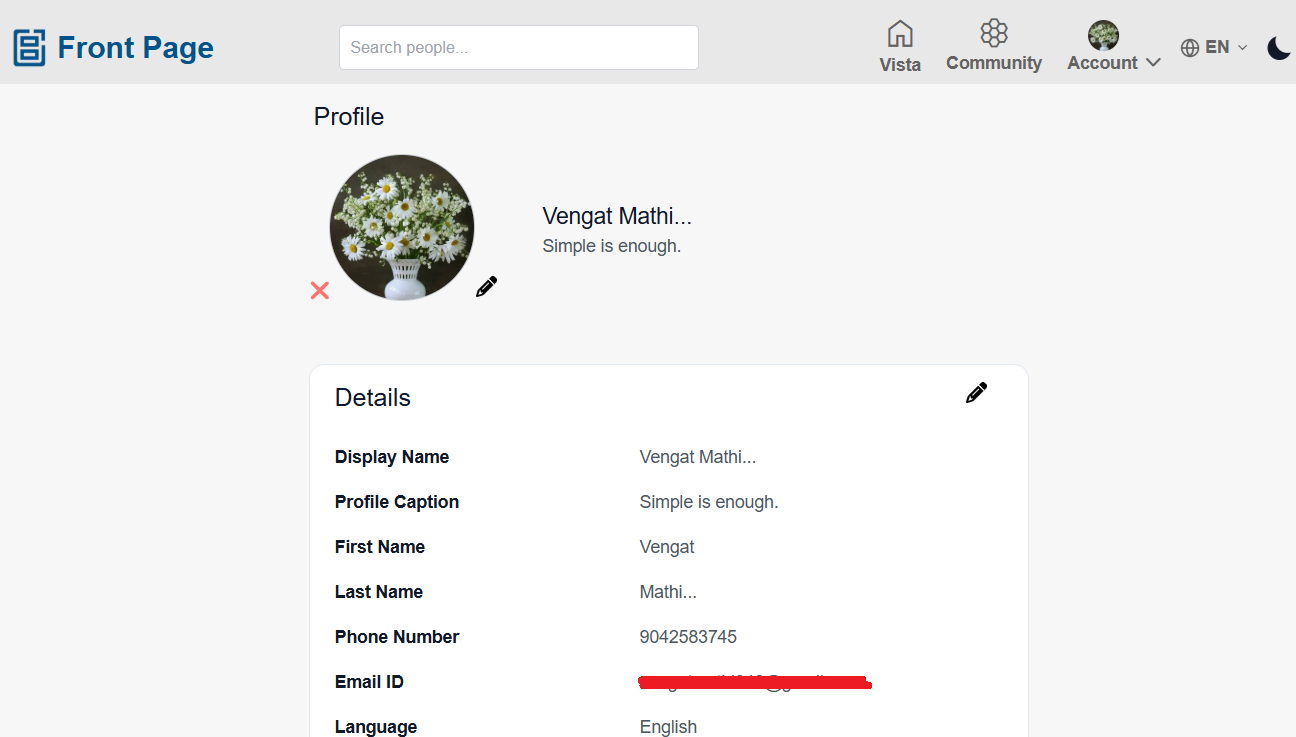
Users can view and manage their personal details and activity from the Profile page.
Users can view:
- Profile image
- Display name
- Caption
- First name and last name
- Mobile number
- Registered email address
- Created posts
- Hidden posts
Editing Profile Information
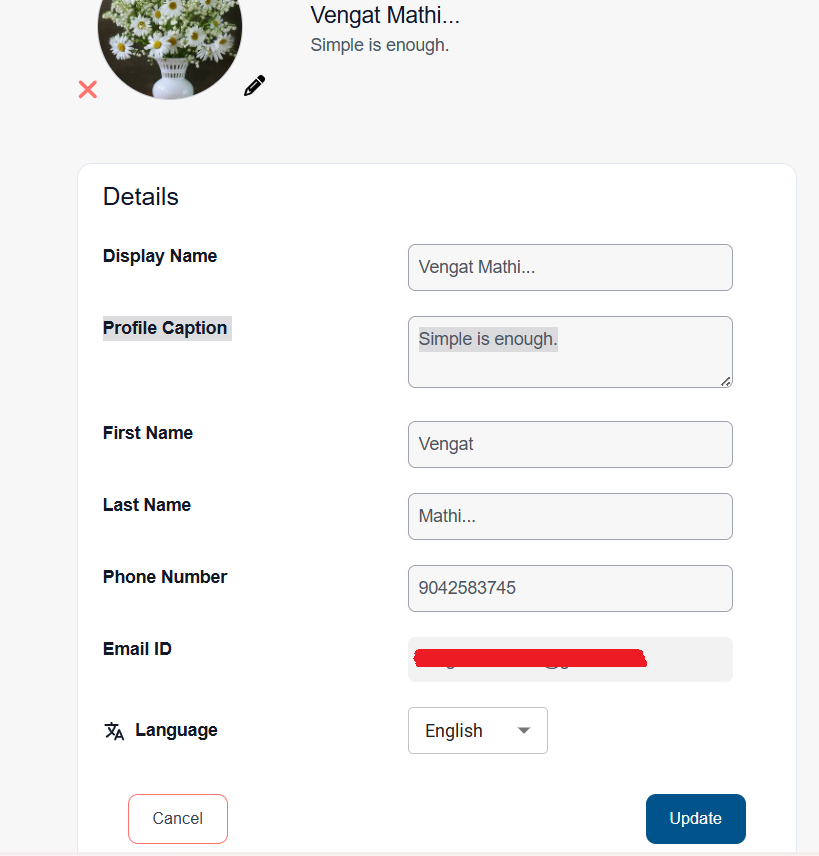
Users can update their profile details at any time.
Steps:
- Open the Profile page.
- Click or tap the Edit Profile icon.
- Update the required information:
- Profile image
- Display name
- Caption
- First name
- Last name
- Mobile number
- Click or tap Update/Save.
Notes:
- The registered email address is view-only and cannot be edited.
- Updated profile details are reflected across the application.
Viewing Your Posts
Users can view all posts they have created from the Profile page.
Steps:
- Open the Profile page.
- Scroll to view created posts.
- Click or tap a post to open the Post Detail page.
Users can:
- Edit posts
- Delete posts
- React, comment, and share posts
Users can manage hidden posts from the Hidden Posts section.
Steps:
- Open the Profile page.
- Navigate to the Hidden Posts section.
- View all hidden posts.
- Click or tap Unhide to restore a post.
- Vista/Home feed
- Community feed
- Recent Posts

Profile Actions
Users can perform additional actions from the Profile page.
Users can:
No comments to display
No comments to display