
Managing Posts
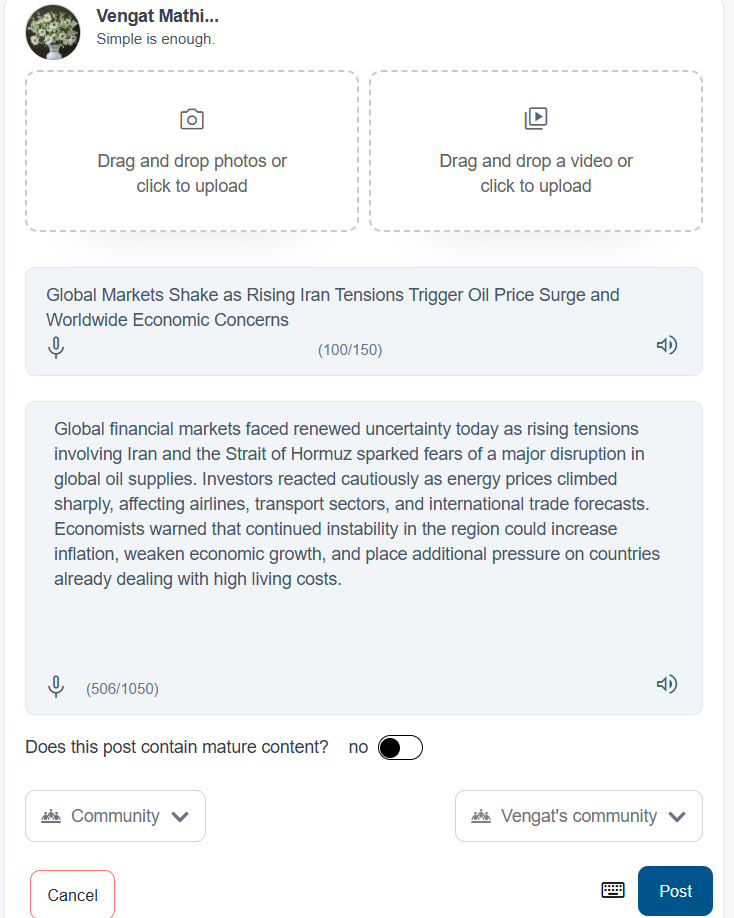
Creating a Post
Users can create a new post to share content with others.
Steps:
-
Click or tap the + Add button.
-
Select the type of post (text, photo, or video).
-
Enter the content.
-
Click or tap Post to publish.
Editing a Post
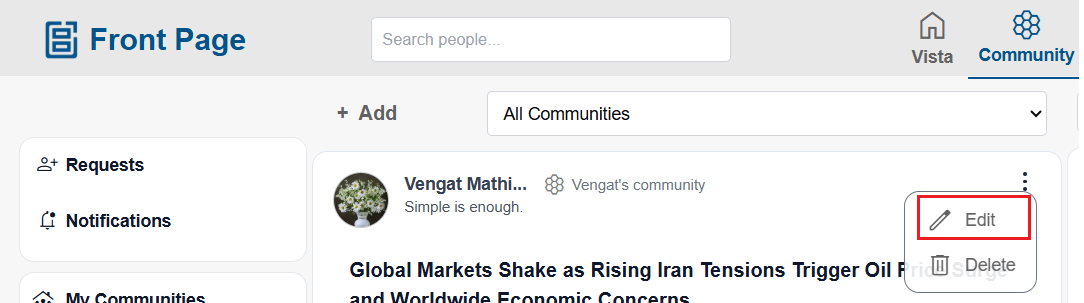
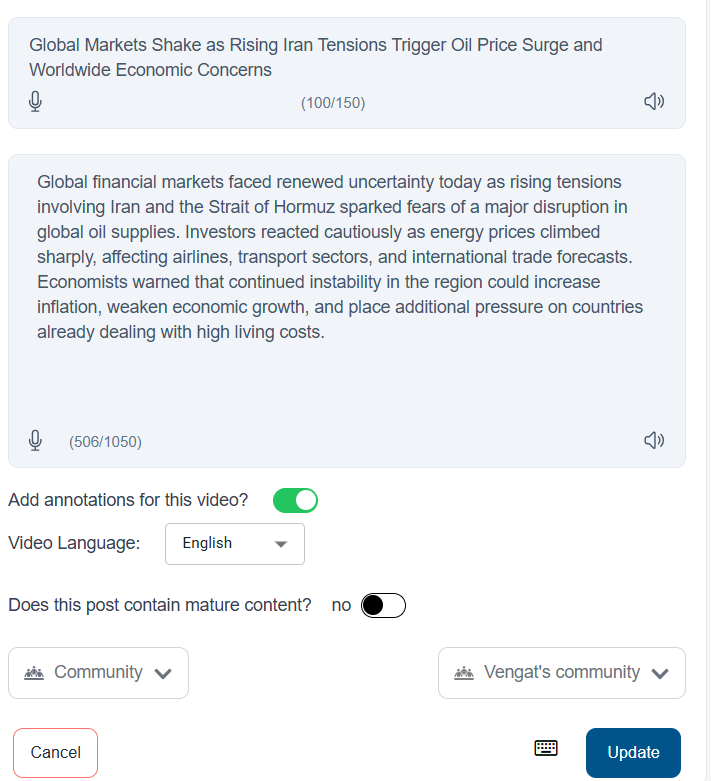
Users can edit their existing posts.
Steps:
-
Open the post.
-
Click or tap the three-dot menu (⋮).
-
Select Edit.
-
Update the content.
-
Save the changes.
Deleting a Post
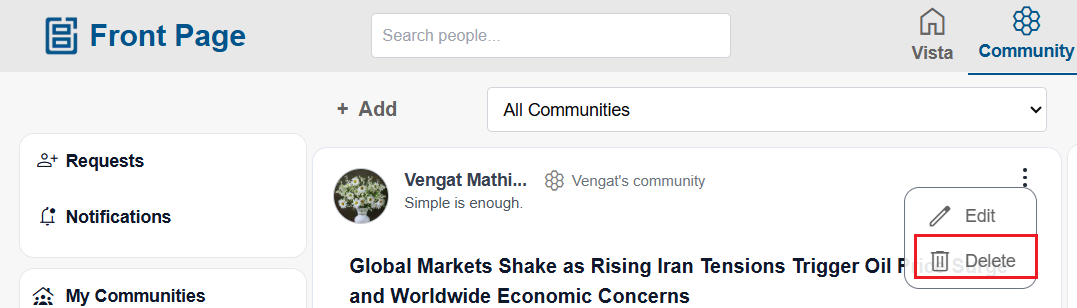
Users can delete their posts if needed.
Steps:
-
Open the post.
-
Click or tap the three-dot menu (⋮).
-
Select Delete.
-
Confirm the action.
Interacting with Posts
Users can interact with posts shared by others.
Users can:
-
Like posts
-
Comment on posts
-
Share posts
Tap or click on a post to view and interact with it.
No comments to display
No comments to display